> For the complete documentation index, see [llms.txt](https://docs.ur.app/llms.txt). Markdown versions of documentation pages are available by appending `.md` to page URLs; this page is available as [Markdown](https://docs.ur.app/design/user-experience/kyc.md).
# KYC
The three-part KYC flow and how to show the URID throughout it.
Know Your Customer (KYC) verification lets your users activate their account and unlock full account functionality. The flow has three sequential parts that verify identity, collect required information, and meet regulatory requirements.
For the full account and KYC lifecycle, see [The user lifecycle](https://docs.ur.app/concepts/overview-the-user-lifecycle) in the main UR docs.
### Three-part KYC structure (5 to 10 minutes)
{% stepper %}
{% step %}
**Questionnaire**
Tool: Sumsub\
Purpose: collect user information and assess risk profile\
Duration: 2 to 3 minutes
{% endstep %}
{% step %}
**Biometric ID verification**
Tool: ReadID App Clip (iOS) or ReadID app (Android)\
Purpose: verify document authenticity via NFC chip scanning and a liveness check\
Duration: 2 to 3 minutes
{% endstep %}
{% step %}
**Form A signing**
Purpose: regulatory compliance and consent documentation\
Duration: 1 to 2 minutes
{% endstep %}
{% endstepper %}
### Design principles
#### Transparent expectations
Tell your users what is required before they start: "3 steps: answer questions, scan ID, sign form." Setting expectations reduces anxiety and abandonment.
#### Platform-appropriate tools
Different tools for iOS (App Clip) and Android (full app) optimize for each platform's capabilities while keeping functional parity.
#### Security through familiarity
Established third-party tools (Sumsub, ReadID) build on the trust your users already place in recognized verification providers.
#### Auto-save progress
If a user exits mid-questionnaire, they can resume without restarting.
### Pre-KYC entry point
#### Managed Custody Mode
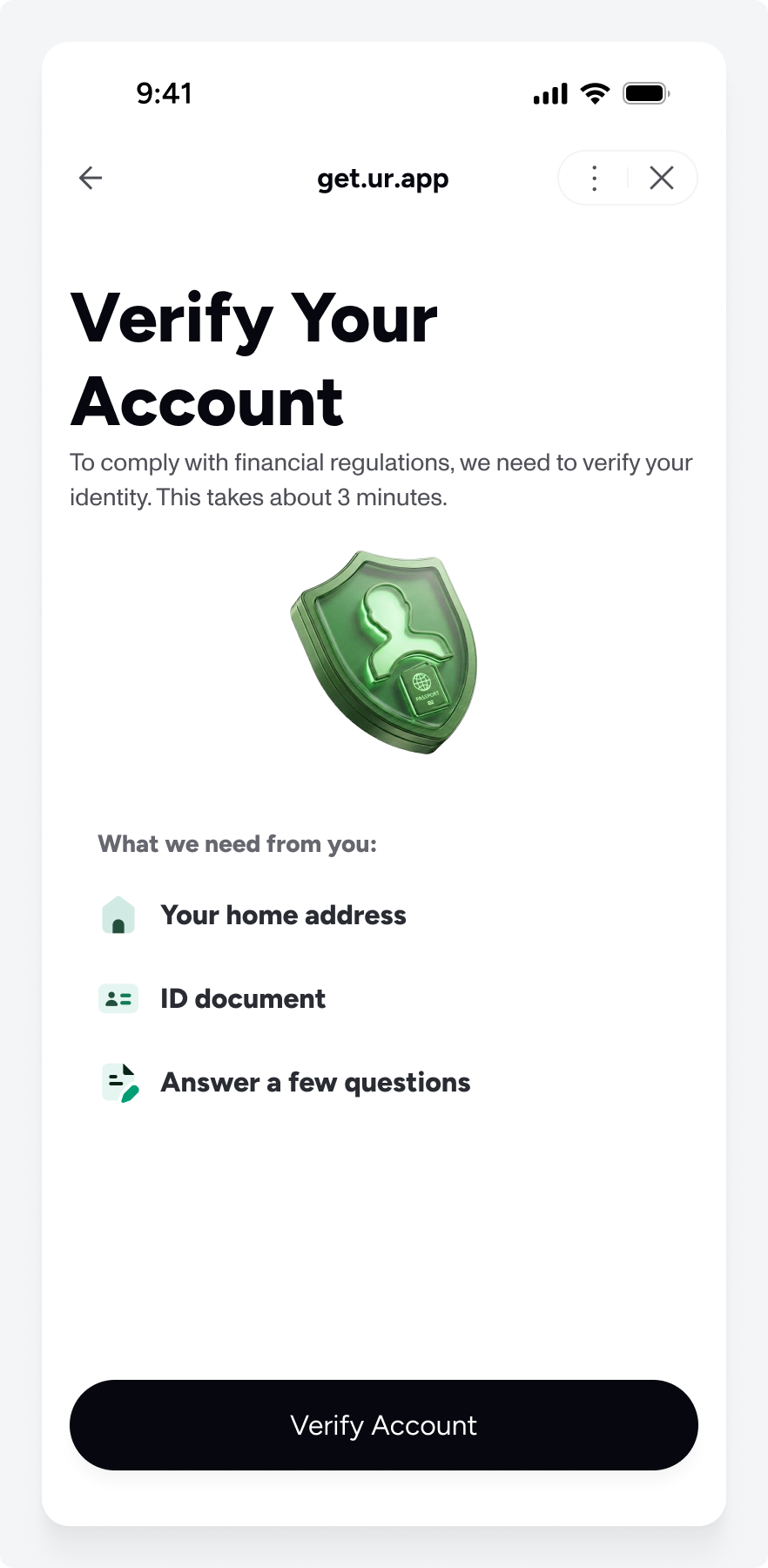
After a successful UR account creation, your users see the KYC prompt. If they dismiss the prompt or stop midway, they can continue KYC from an account dashboard or equivalent surface on your site.
{% columns %}
{% column %}
After successful account creation and connection, users see the KYC prompt.
{% endcolumn %}
{% column %}
Account dashboard: a card showing "Verify your identity" in the pre-KYC state.
{% endcolumn %}
{% endcolumns %}
{% hint style="info" icon="figma" %}
Figma reference:\
[**KYC**](https://www.figma.com/design/WKbdwKpCGPRaAN43tGXHiN/Partner-UX-Guide?node-id=61-7302\&t=LdSer2mHyoMOtsCs-1)
{% endhint %}
### Displaying the URID during KYC
The URID is the user's support identifier. During custom partner KYC flows, your users should always be able to read and share this value when they need support.
#### Where the URID comes from
Retrieve the URID by way of `tokenId` from the Account NFT contract by calling `tokenOfOwnerByIndex(userAddress, 0)`.
{% content-ref url="" %}
{% endcontent-ref %}
#### When to display it
Keep the URID on screen for the full duration of KYC: through every step of onboarding, on each retry or failure screen, and until the user either completes KYC or exits the flow.
#### UX recommendations
Keep the URID always visible in a fixed area such as a top bar or sticky footer, with a one-tap way to copy it. Its visual priority should stay low so it does not compete with the primary KYC actions.
---
# Agent Instructions
This documentation is published with GitBook. GitBook is the documentation platform designed so that both humans and AI agents can read, navigate, and reason over technical content effectively. Learn more at gitbook.com.
## Querying This Documentation
If you need additional information that is not directly available in this page, you can query the documentation by asking a question.
Perform an HTTP GET request on the following URL with the `ask` and `goal` query parameters:
```
GET https://docs.ur.app/design/user-experience/kyc.md?ask=&goal=
```
`ask` is the immediate question: it should be specific, self-contained, and written in natural language.
`goal` is what the user is ultimately trying to achieve, the reason they need the answer. Sharing it helps GitBook give you a better, more relevant answer. A goal is most helpful when it describes the outcome the user wants rather than restating the question. For example, with `ask=how do I create an API token`, a goal like `automate deployments from our CI pipeline` lets GitBook tailor the answer to that use case.
The response will contain a direct answer to the question and relevant excerpts and sources from the documentation.
Use this mechanism when the answer is not explicitly present in the current page, you need clarification or additional context, or you want to retrieve related documentation sections.